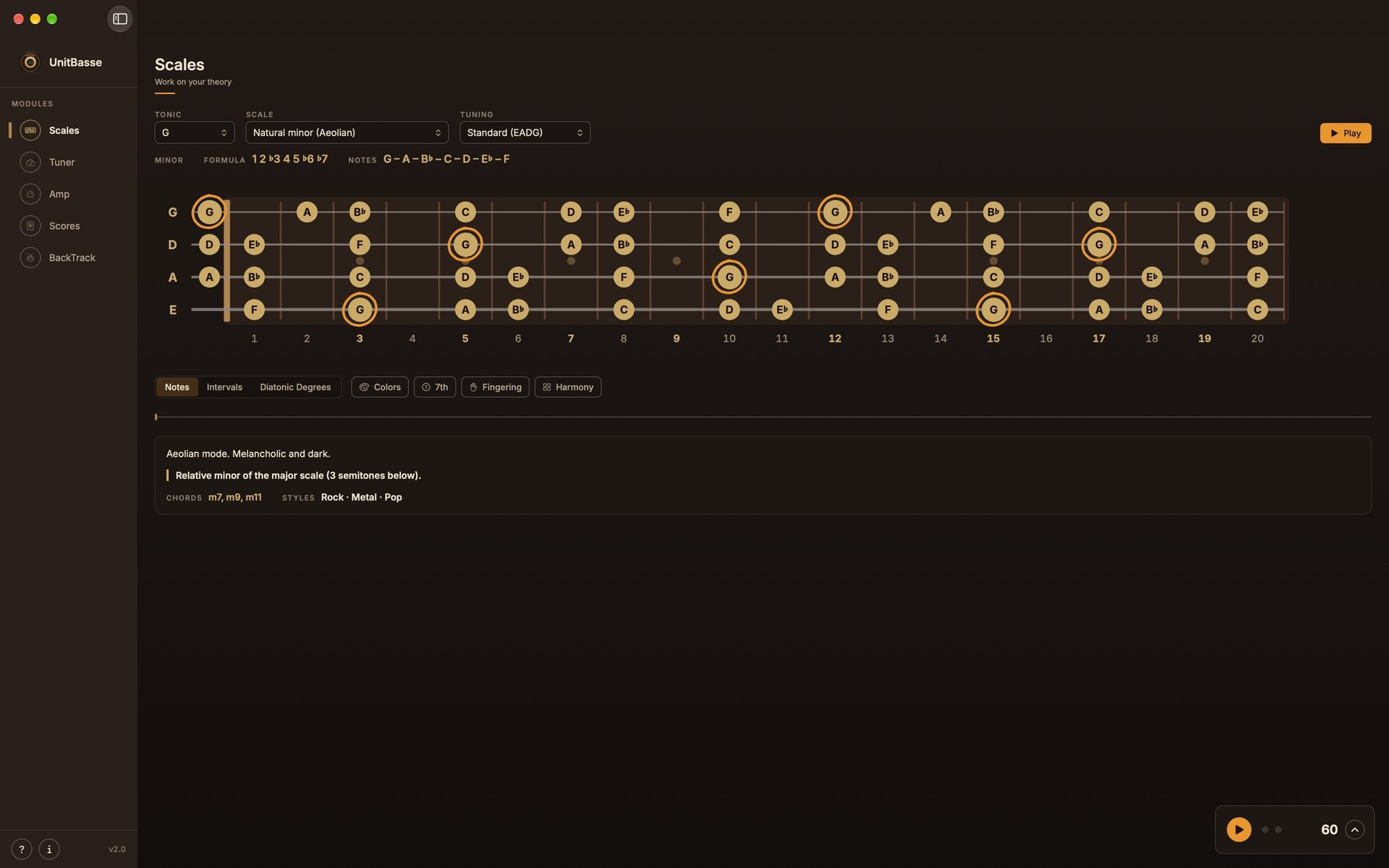
Notes, intervals, degrees.
Three ways to read the same scale,
one click away.
UnitBasse 2.0 for Mac · November 1
Scales and harmony on the fretboard, scores and tabs,
a real rhythm section, 8 amps and 22 effects.
Everything to practice your bass, on your Mac.
$24.99 · one-time purchase · no subscription · macOS 14 or later
Pick a scale and a root note:
every note shows up on the fretboard, with its name, its interval or its degree.
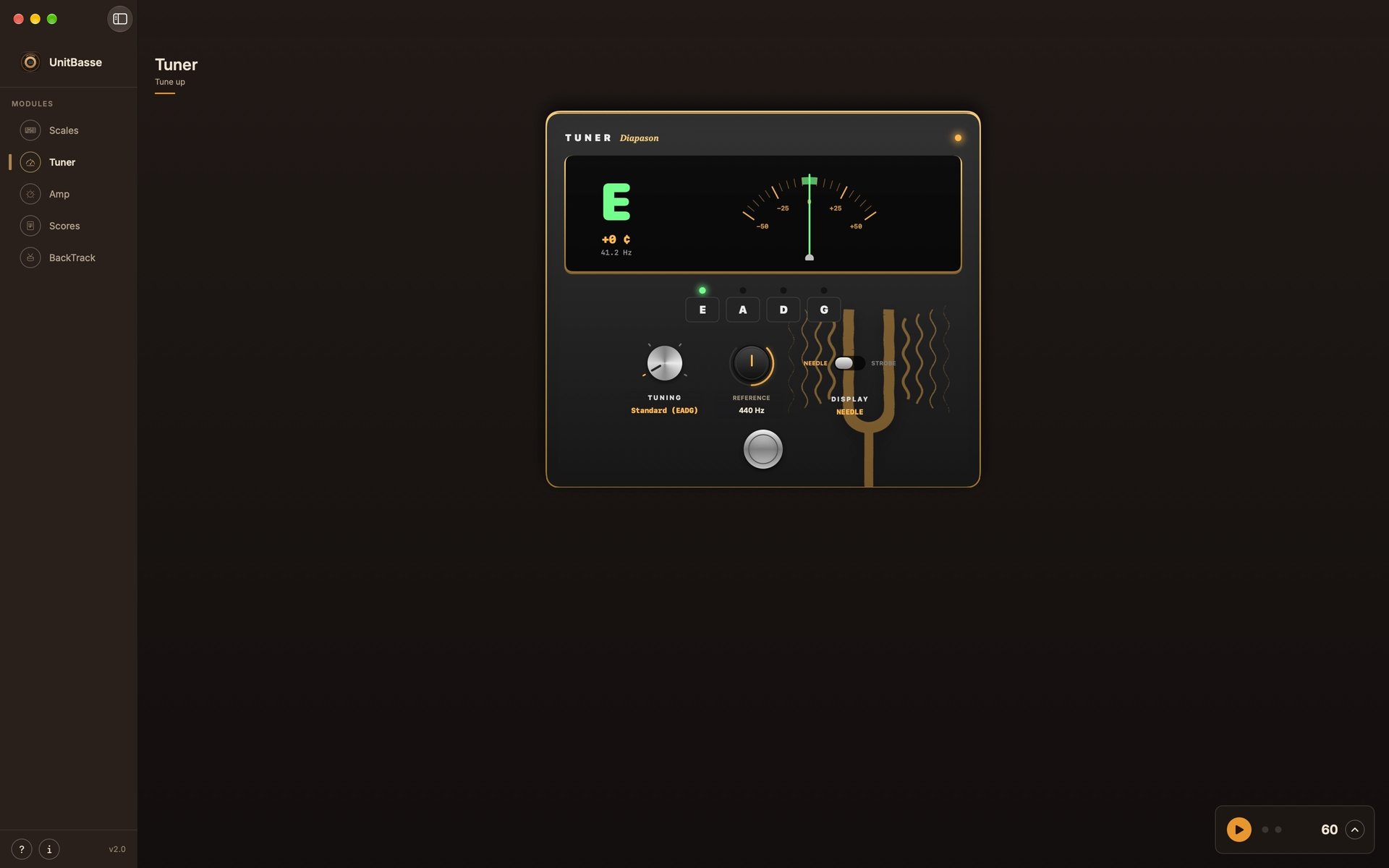
A tuner pedal with needle or strobe, reference from 430 to 450 Hz.
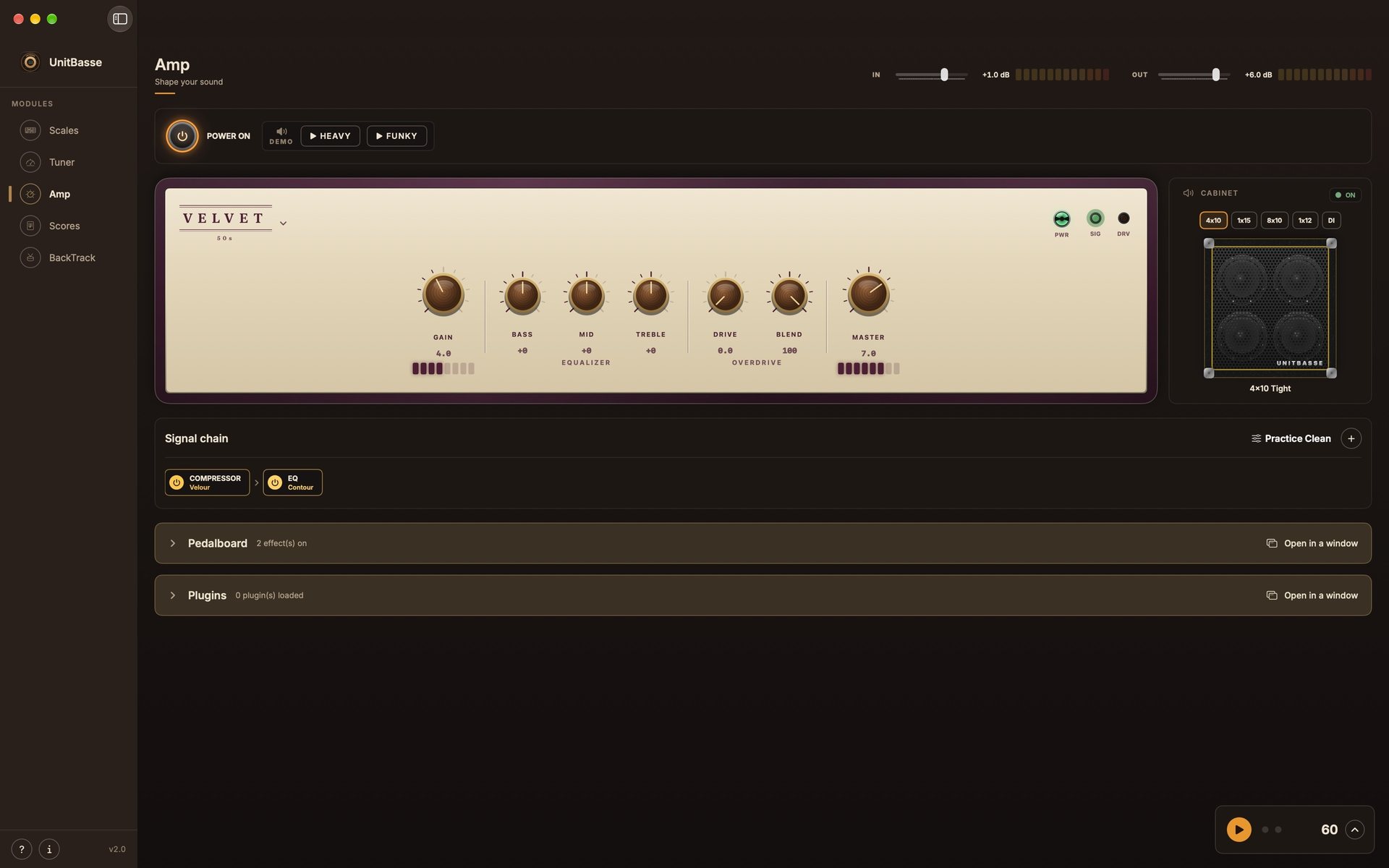
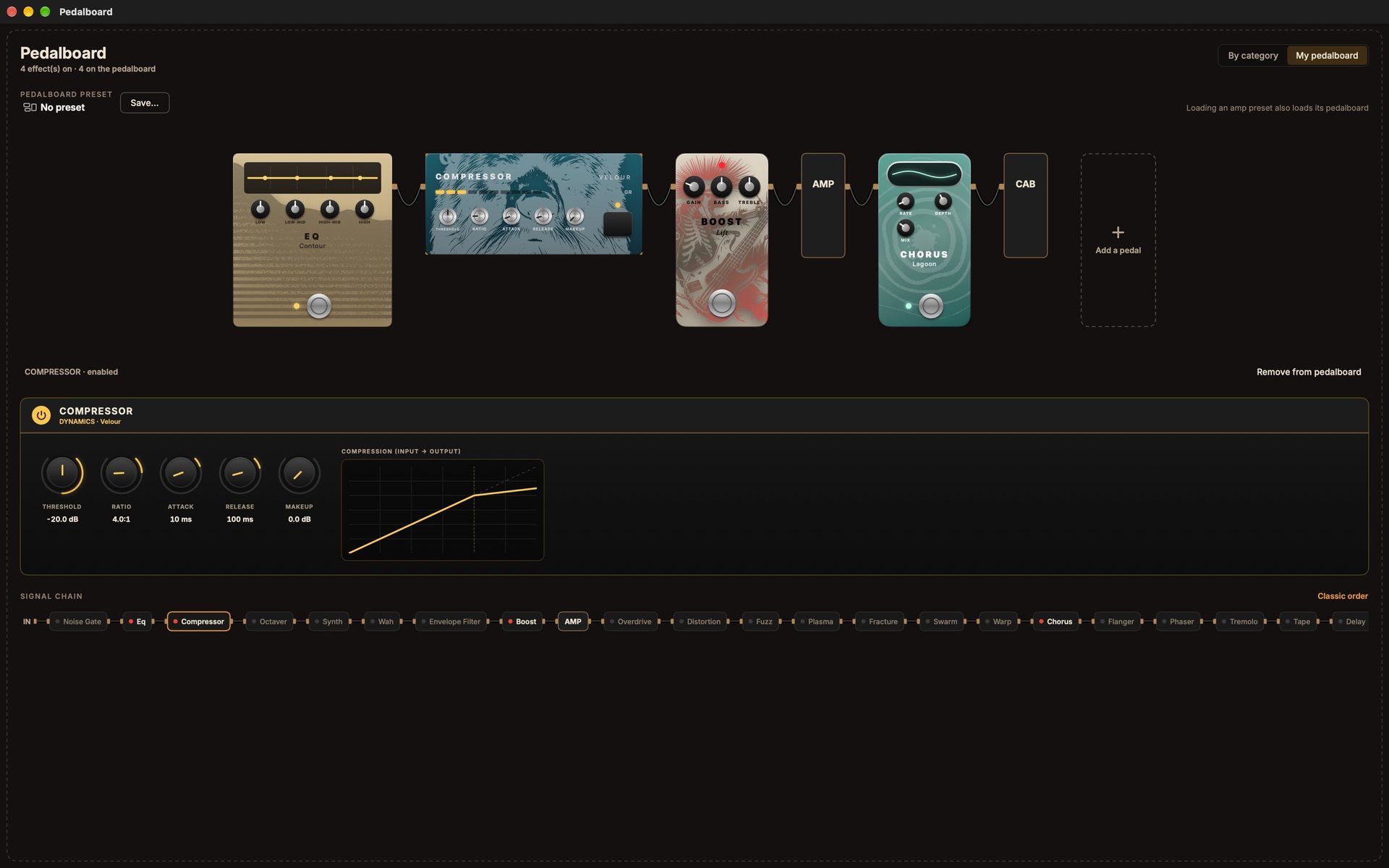
Your bass in real time, with a full pedalboard and your own Audio Units plugins.
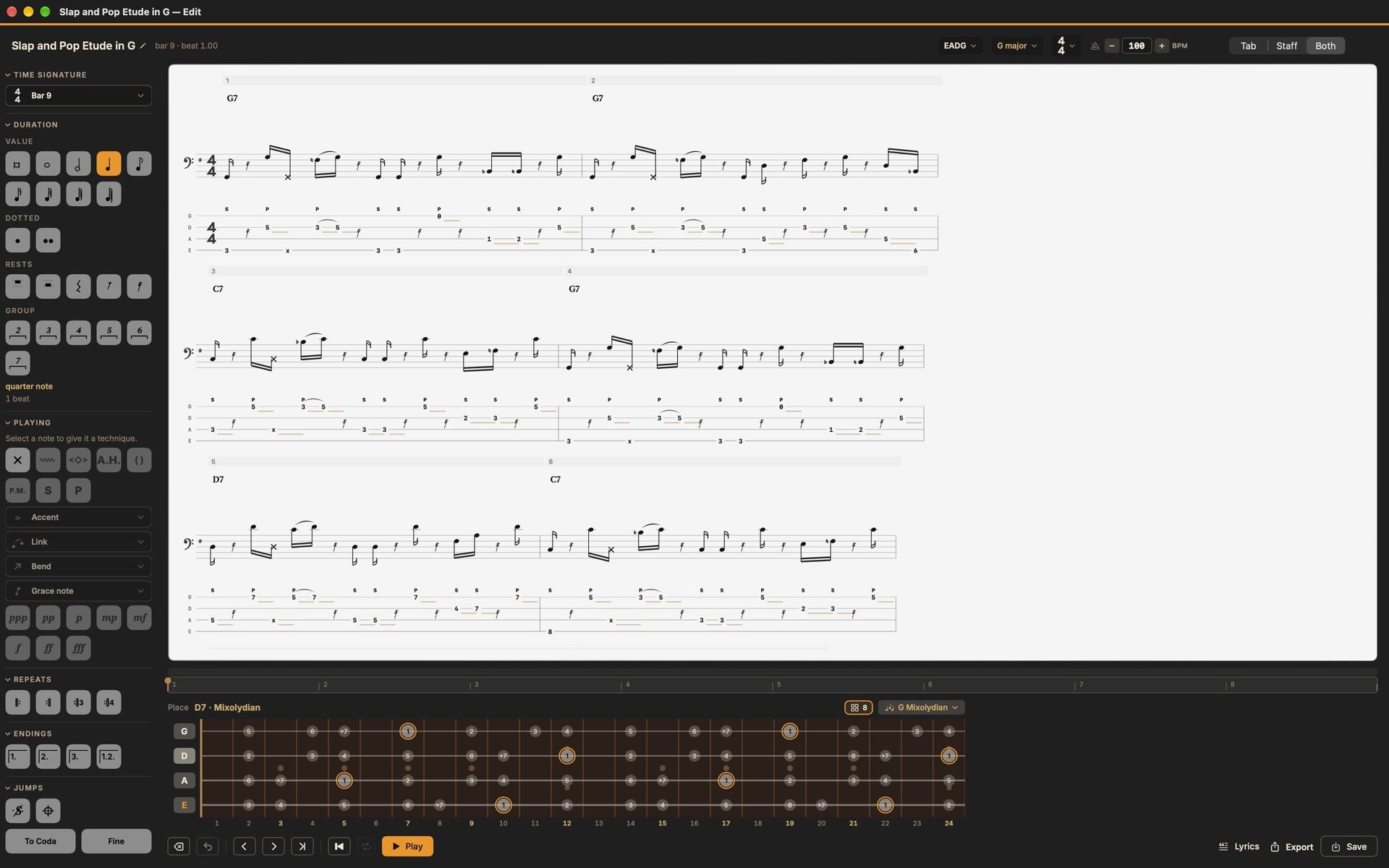
Staff and tab, organized into sections: intro, verse, chorus. Write it, hear it, export it.
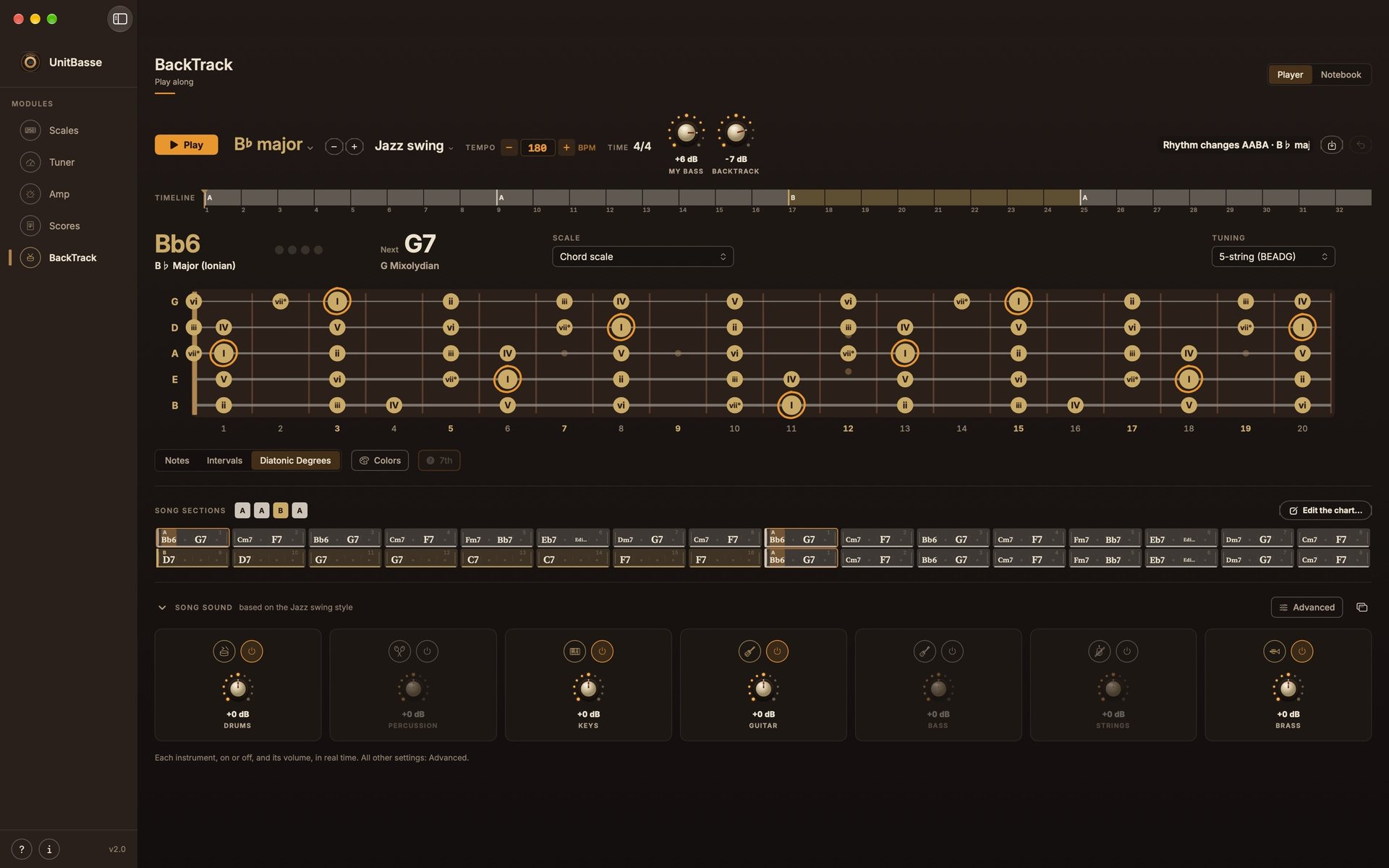
Pick a chord chart and a style: drums, percussion, keys, guitar, brass and strings play along with you, on a loop.
Scales
69 scales in 12 families, every root note and 4 tunings.
From the Dorian mode to the altered scale, the fretboard shows you everything.
Three ways to read the same scale,
one click away.
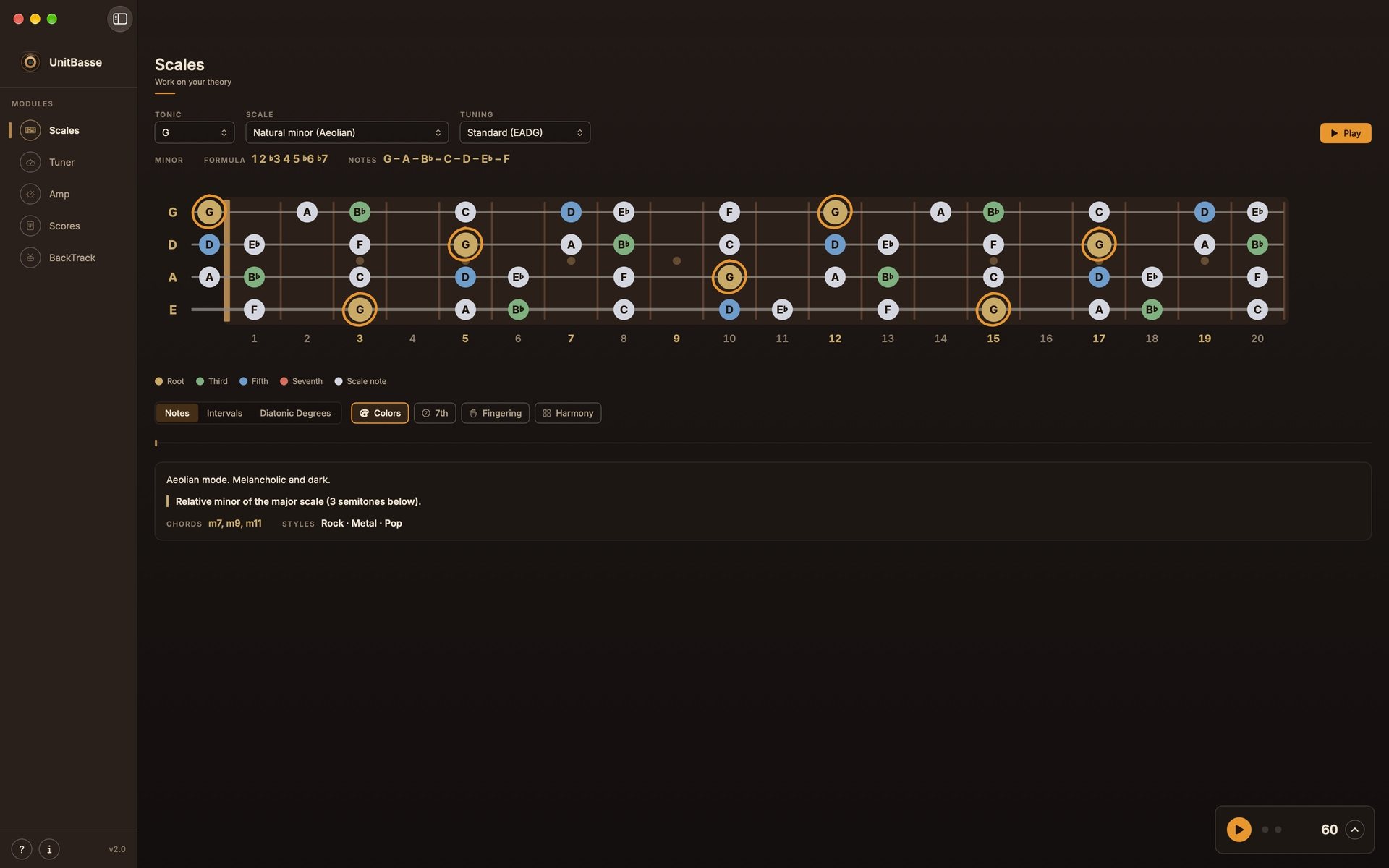
Root, third, fifth, seventh:
the structure jumps out at you.


Standard, Drop D, half-step down or 5-string, and a left-handed mode that flips the fretboard.
Harmony
Under the fretboard, the Harmony panel opens four tools
to go from the scale to the music.
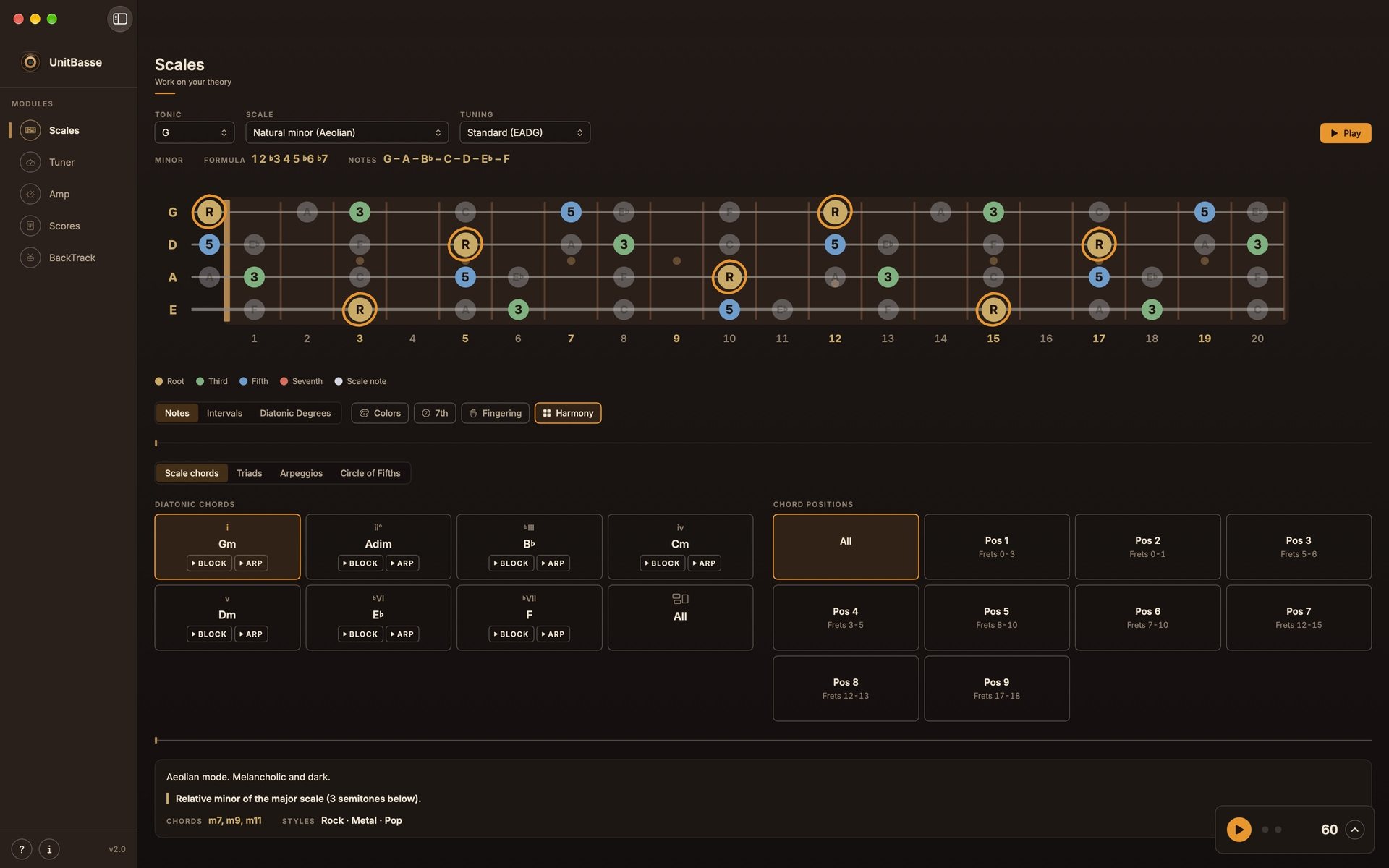
The seven chords, block or arpeggiated, with their positions on the fretboard.
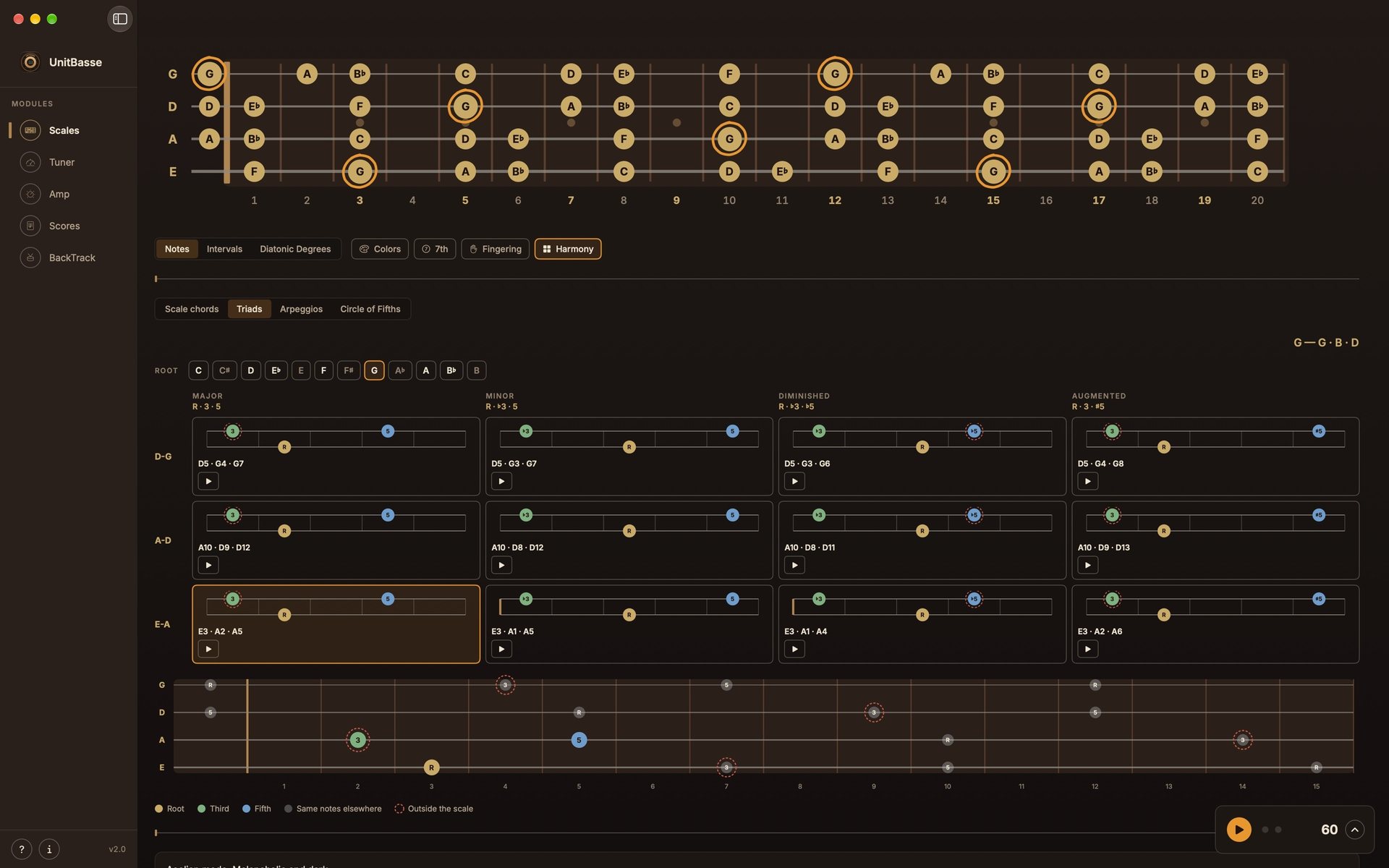
Major, minor, diminished, augmented, on every string pair.
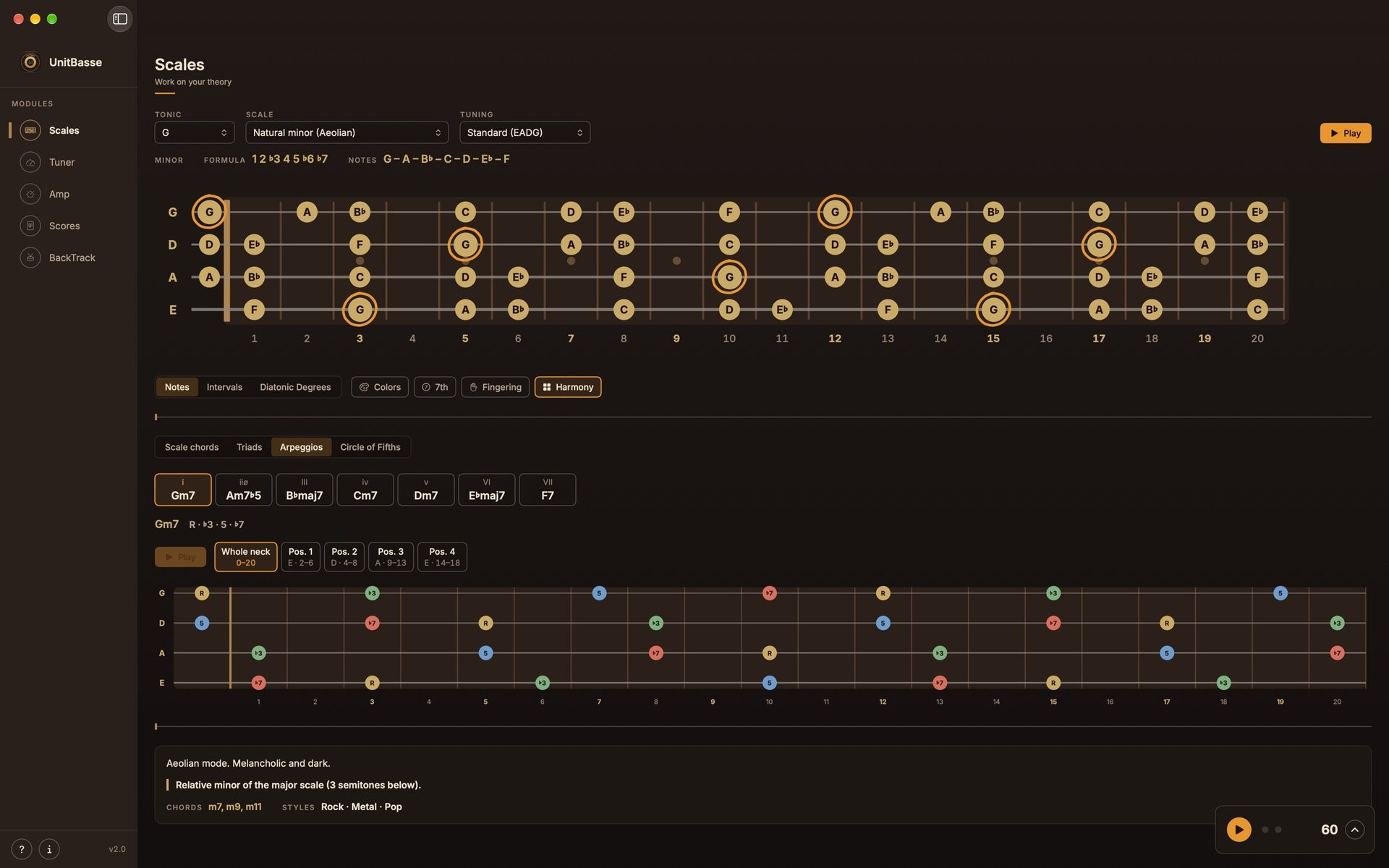
Four-note arpeggios across the whole neck, then position by position.
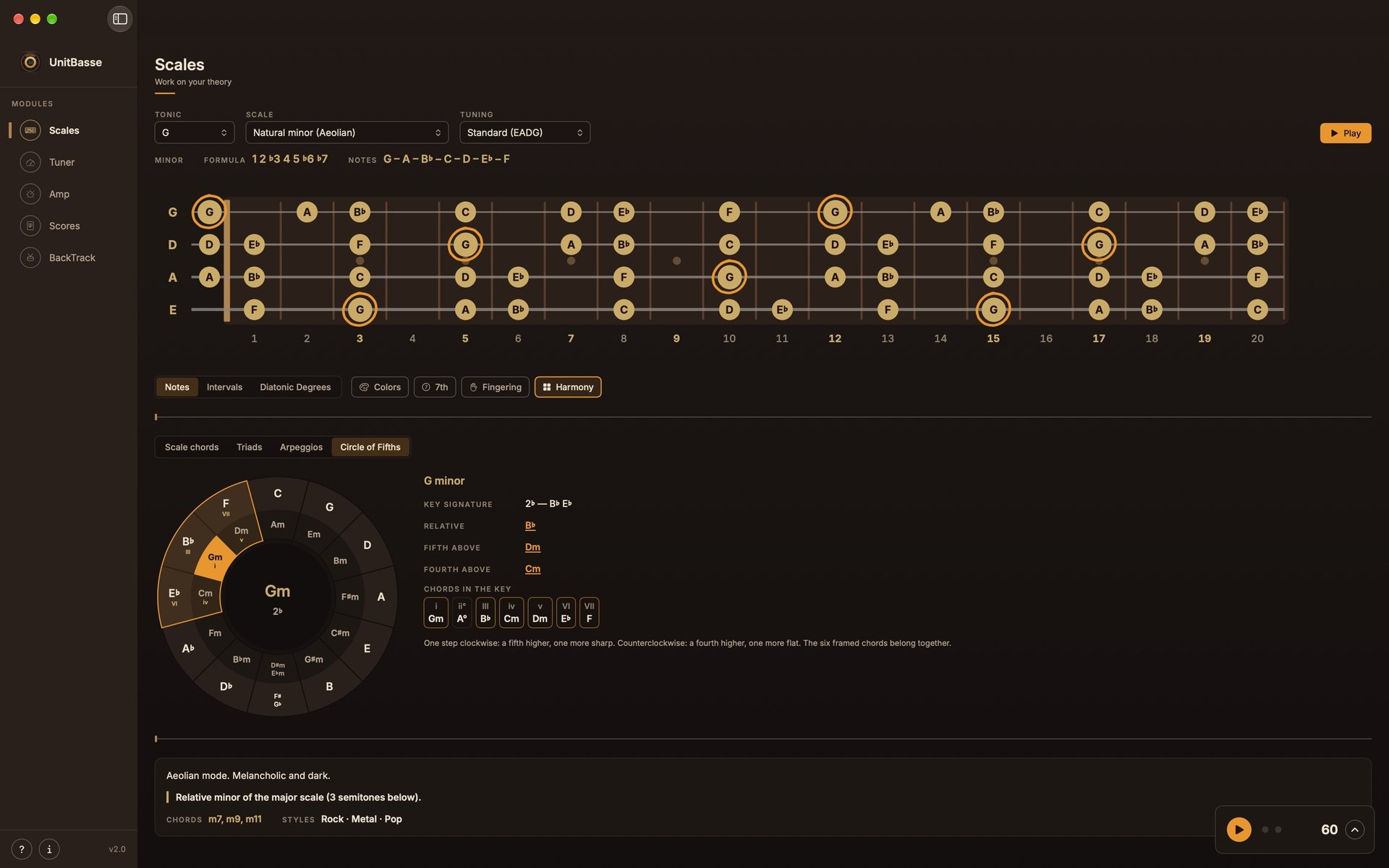
Click a key: you hear it, with its key signature, its relative and its chords.
Tuner
A tuner pedal with needle or strobe,
and a reference note for every string.
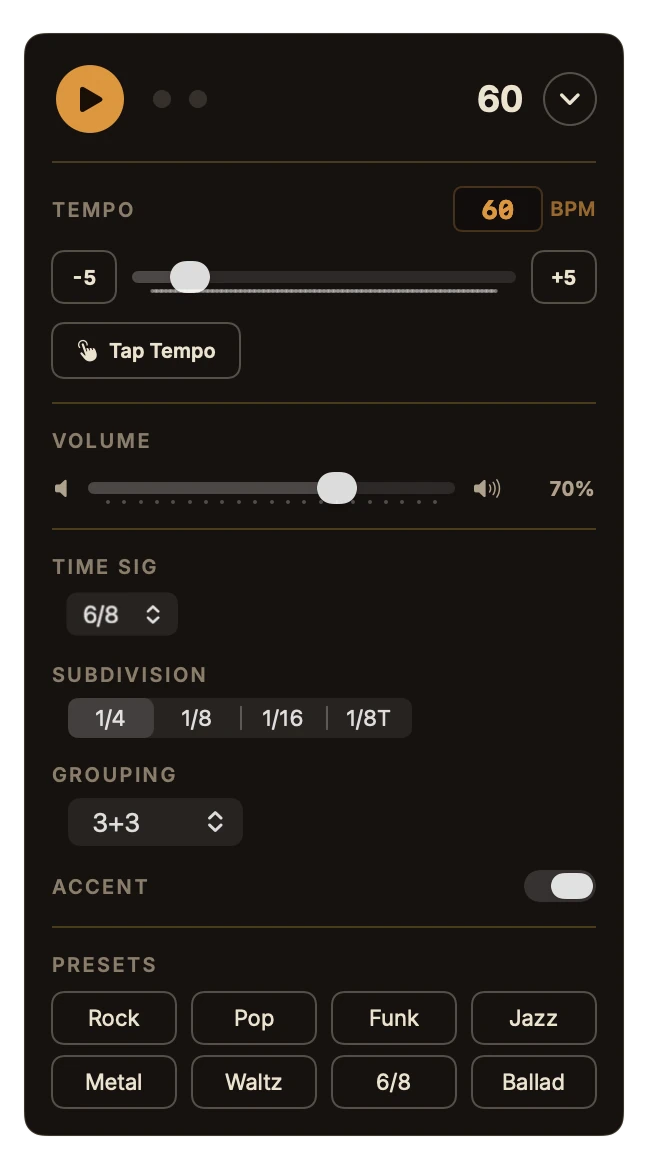
Metronome
30 to 300 BPM, 20 time signatures including compound
and odd meters, subdivisions and Tap Tempo.
Amp and effects
From the 50s to the 2010s, each one has its own sound and its own look.
5 cabinets, 22 effects, and your own plugins.
Dynamics, Pitch, Filter, Gain, Modulation, Time, EQ and Creative: eight families of effects. Each pedal has its own design, and the pedalboard screen shows what it does to your sound. You pick your pedals and their order, before or after the amp.
And if you have your own Audio Units plugins,
UnitBasse loads them into its chain.
They are not included.
New · Scores
Staff and tab at the same time, organized into sections.
Write the line, hear it, practice it on a loop.
And open your Guitar Pro and MusicXML files.
Note values, rests, triplets, dynamics, bends, harmonics, ghost notes, palm mute: everything sorted by family, one click away.
Split the song into sections, with repeats, 1st and 2nd endings, Segno and Coda, and click a passage to loop it.
Guitar Pro (3 to 8) and MusicXML in. Print-ready PDF, MusicXML, MIDI or text tab out.
New · BackTrack
Pick a chord chart and a style, and play over it.
The drums are played by a real drummer,
and a whole band plays along: percussion, keys, guitar, brass and strings.
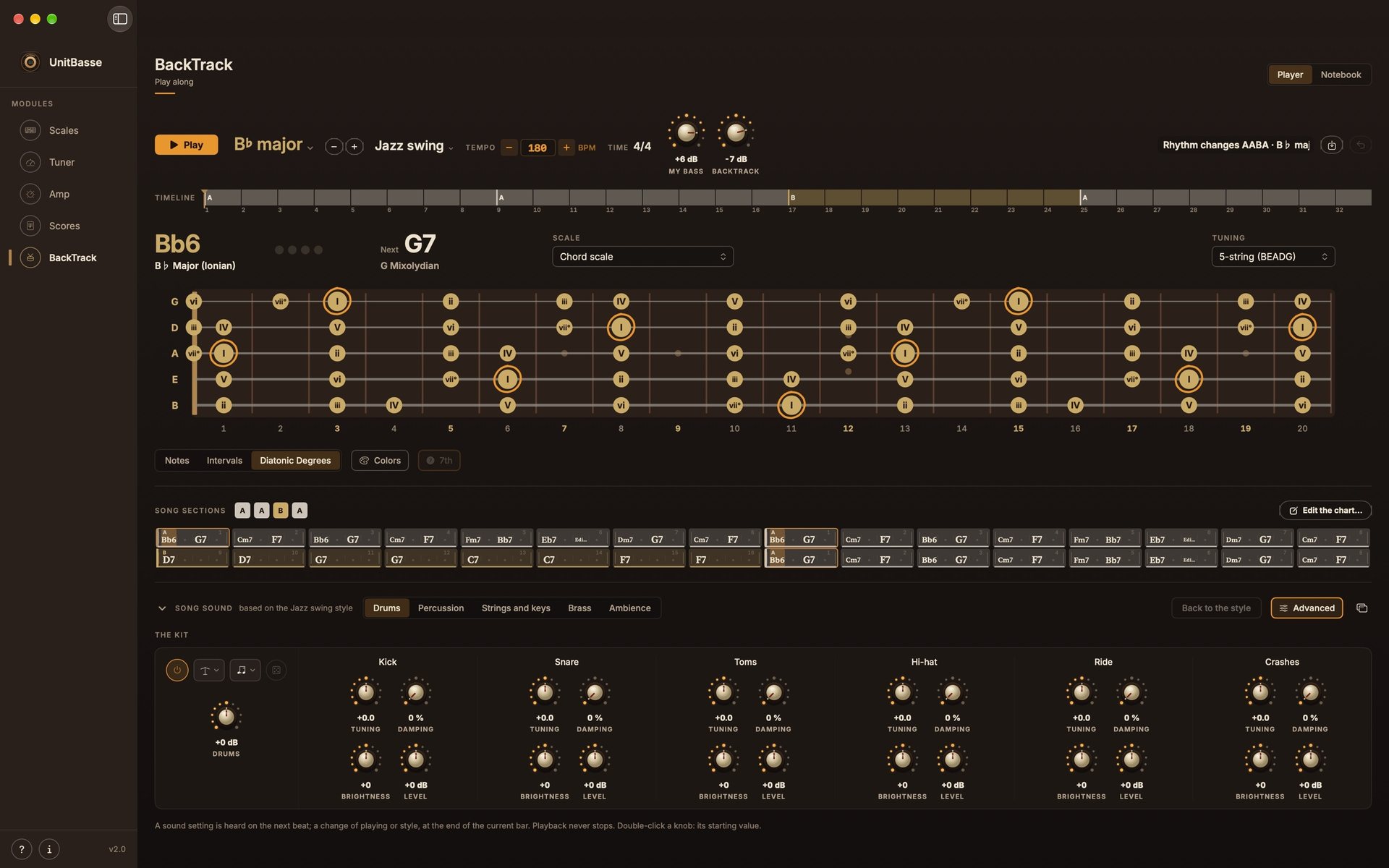
Rock, blues, funk, bossa nova, jazz swing, disco, Motown soul, pop ballad, neo soul, hip-hop, punk, metal, cha-cha, country, reggae and samba, with charts ready to play.
Write your chords, split them into sections with repeats, intensity and drum feel (half-time, double, break). Or reuse the chart from one of your scores, or import it from iReal Pro.
Drums, percussion, keys, guitar, brass, strings and bass each have their own knob, and Advanced mode sets everything else. The bass is muted: you’re the one playing.
The whole app works with VoiceOver, in every language.
Mirrored fretboard and strings. Adjustable text and fretboard size.
Pick your device and its inputs. Apple Silicon and Intel.
No account, no tracking. Fully offline.
Featured in
What the press and the first users are saying.
MacGeneration Press
“Fully VoiceOver compatible — rare enough in this field to highlight.”Read the article (FR)
Audiofanzine Press
“Native macOS application dedicated to bass practice.”Read the article (FR)
JackSim User
“Tried and adopted! So much lighter and more elegant than IK Multimedia’s apps.”Read the comment (FR)
UnitBasse for Mac
$24.99
One-time purchase. Free updates. No subscription, no in-app purchases.
Until October 31, buy it at the current price and get 2.0 free on November 1.
On an iPad? UnitBasse for iPad is sold separately.
Any standard macOS audio interface: Focusrite, PreSonus, MOTU, Apogee, RME, Universal Audio, SSL, Audient, Behringer… The Mac's microphone is enough for the tuner; for the amp, an instrument input is recommended.
No. Beginners find simple scales and fingerings, advanced players find modes, harmony and scales from all over the world. Every scale has its own sheet: description, tip, chords and styles.
Yes. UnitBasse doesn't include any plugins: it loads the ones you already own and have installed on your Mac, on top of its 22 built-in effects.
No. BackTrack is your practice partner, not a studio: it plays along with you, without recording anything. Pick a chord chart and a style, set the tempo and the key, and practice your lines on a loop for as long as you like. You can also write your own bass line in Scores and hear it played over the chart, with the whole band.
Yes. Scores opens Guitar Pro files (versions 3 to 8) and MusicXML. You pick the bass track to import, and you can keep the drums as a reference to play along with. Files locked by their publisher can't be opened.
Both, on macOS 14 (Sonoma) or later.
Scales, tuner and metronome are the same. The Mac adds Scores, BackTrack, the 22-effect pedalboard, your Audio Units plugins, sound presets, audio interface selection and keyboard shortcuts. The two apps are sold separately.
Because UnitBasse is a tool, not a service. Buy it once, use it forever.
Another question? UnitBasse for Mac support