🎼
69 Scales
Pentatonics, modes, blues, jazz, exotic scales. Interactive 20-fret fretboard with auto-calculated fingerings.
Visualize scales, tune up, practice with different amps and effects. The bass player's practice companion for Mac. No subscription, no overkill.
UnitBasse just launched. Here is what the press and the first users are saying.
Fully VoiceOver compatible — rare enough in this field to highlight.Read article (FR) → Audiofanzine Press
Native macOS application dedicated to bass practice.Read article (FR) → JackSim User
Tried and adopted! So much lighter and more elegant than IK Multimedia's apps.Read comment (FR) →
A complete suite of tools to learn, practice, and progress
Pentatonics, modes, blues, jazz, exotic scales. Interactive 20-fret fretboard with auto-calculated fingerings.
Ultra-precise chromatic detection via NSDF algorithm. Adjustable A4 reference from 430 to 450 Hz.
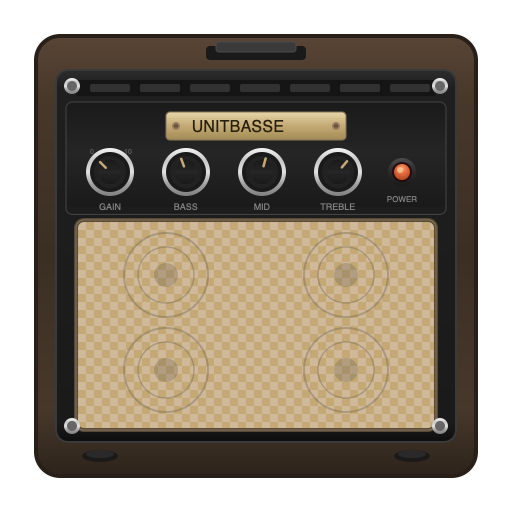
Thunder, Velvet, Granite, Crystal... Sounds inspired by the amps that shaped bass history.
Classics and creative ones. Plus direct access to AU plugins installed on your Mac.
Four modules at the heart of UnitBasse. Click any screenshot to enlarge.
69 scales displayed on a full fretboard, with auto-calculated fingerings, descriptions and tips. Notes, intervals or degrees as you choose.
Eight vintage and modern amp models, five cabinets (4×10, 1×15, 8×10, 1×12, DI). Classic Gain, Bass, Mid, Treble, Drive, Blend, Master controls.
Twenty-two internal effects organized by family — dynamics, filter, gain, modulation, time, creative. Plus an external Audio Units plugin chain.
Detection through NSDF algorithm, accurate to the cent. Adjustable A4 reference from 430 to 450 Hz. Real-time tracking of all four strings.
Modelings inspired by the amp heads that shaped the sound of modern bass. Practice with a sound that fits your style, or explore new territories.
All the classics plus 6 exclusive creative effects
No subscription, no in-app purchases. Ever.
Single purchase · Free updates for life
Everything you need to know before buying UnitBasse.
No. UnitBasse is a practice app, not a studio. To record your music, use GarageBand (free) or Logic Pro — they do that very well.
UnitBasse fills a different need: helping you practice better, with no setup, no overkill. Launch it, play, progress.
Any standard macOS audio interface: Focusrite, PreSonus, MOTU, Apogee, RME, Universal Audio, SSL, Audient, Behringer, etc.
The Mac's built-in mic also works for testing, but a dedicated interface with an instrument input (1/4" jack) is recommended to plug your bass directly.
Not at all. UnitBasse covers all levels:
👶 Beginners: simple scale visualization, accurate tuner, automatic fingering display.
🎓 Intermediate: modes (Dorian, Mixolydian…), arpeggios, chords associated with each scale.
🎯 Advanced: exotic scales (Japanese, Arabic, Persian, Balinese), bebop, complete theory.
Every scale is documented with description, usage tips, and musical styles.
No free trial, but detailed demos and a full press kit to give you a precise idea.
UnitBasse is a one-time purchase with no subscription, so the commitment stays low: €19.99 once — less than a month's subscription to a competing app.
Because bass players are tired of subscriptions. UnitBasse is a tool, not a service.
Buy once, use forever. Free lifetime updates. No internet connection required. No tracking. No in-app purchases. Ever.
14 fully translated languages: French, English, German, Spanish, Brazilian Portuguese, Italian, Dutch, Japanese, Simplified Chinese, Traditional Chinese, Korean, Russian, Polish, Turkish.
UnitBasse is also fully accessible via VoiceOver in each of these 14 languages — a unique differentiator on the market.
Both. UnitBasse is built as a Universal 2 binary (Apple Silicon and Intel), with no performance compromise.
Minimum requirements: macOS 14 (Sonoma) or later.
Yes. UnitBasse loads any Audio Units plugin installed on your Mac: compressors, EQs, third-party amp simulators, exotic effects, etc.
You can extend UnitBasse's effects chain with your existing AU collection.
UnitBasse needs access to your microphone / audio input to process your bass sound in real time. If macOS blocks this access, the amp can't start.
To grant access: open System Settings → Privacy & Security → Microphone, enable UnitBasse in the list, then fully quit the app (⌘Q) and relaunch it. The amp will work normally.
UnitBasse can host your Audio Units plugins, but a faulty third-party plugin can crash the app hosting it — this is independent of UnitBasse.
Make sure the plugin is up to date, or remove it if the problem persists. These issues are the plugin vendor's responsibility.